Hard Bounce vs Soft Bounce: What's the Difference and What Should You Do?
Not every bounced email means the address is dead. Here's how to tell a hard bounce from a soft one, and exactly what to do with each.
 Written byBounceLayer Team
Quick answer
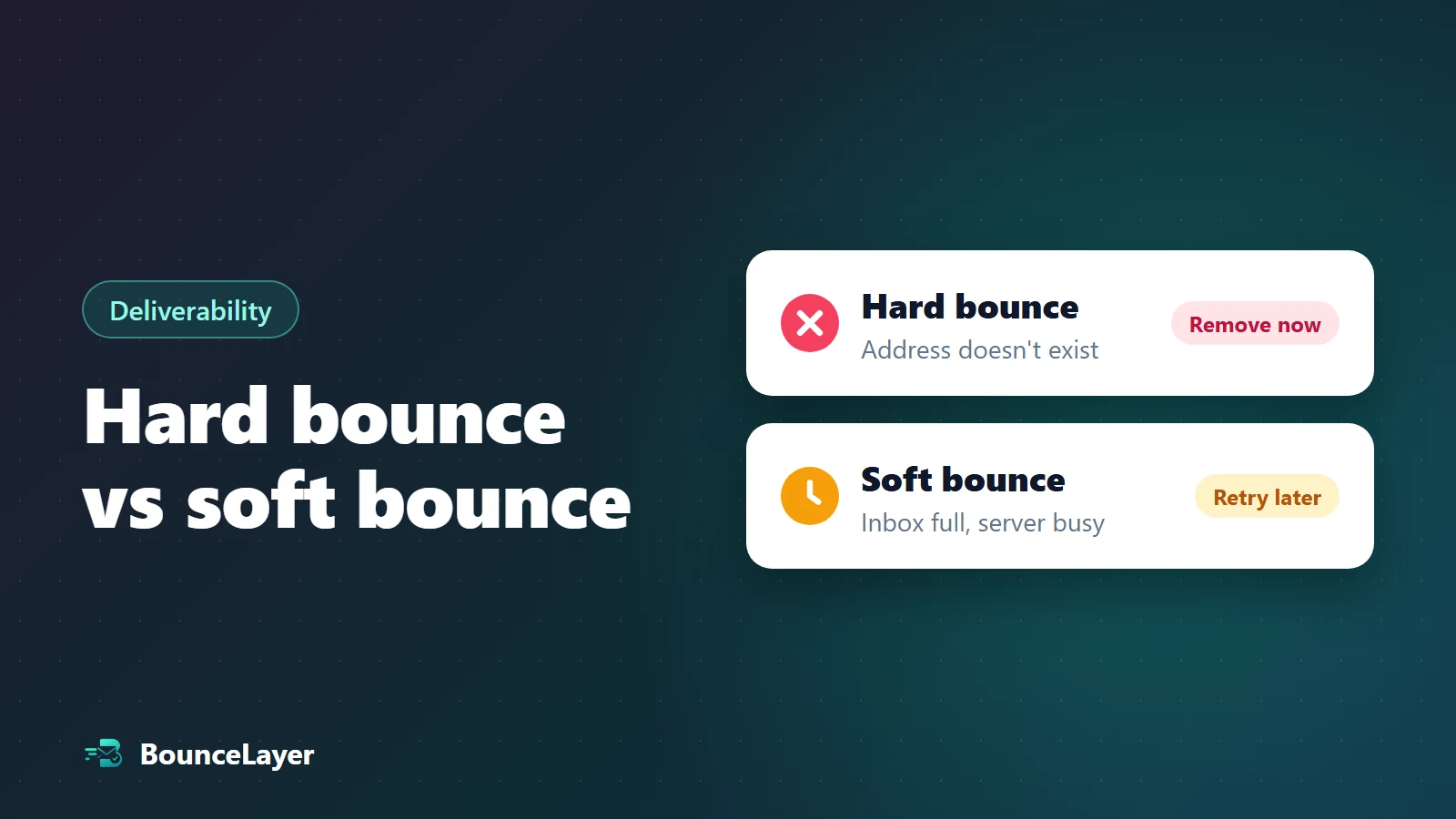
A hard bounce is a permanent delivery failure, usually because the address or its domain doesn't exist, so remove the address straight away. A soft bounce is a temporary failure, like a full inbox or a busy mail server, so you can try again later. If an address soft-bounces in several campaigns in a row, treat it like a hard bounce and remove it.
What is a hard bounce?
A hard bounce is an email that can never be delivered to that address. Sending it again won't help, because the problem is permanent.
Hard bounces are the ones that matter most. Mail providers like Gmail and Outlook notice when you keep sending to addresses that don't exist, and they may start trusting all of your email less.
- The address doesn't exist. The person left the company, closed the account, or the address was mistyped.
- The domain doesn't exist, or no longer receives email. This often happens when a company closes or changes its name.
- The receiving server has refused your email for good, for example because of a block on your domain.
What is a soft bounce?
A soft bounce is a temporary problem. The address is probably real, but the email couldn't be delivered right now. Most email platforms automatically try again for a while before giving up.
- The person's inbox is full.
- Their mail server is down, busy or slow to respond.
- Your message is too large for their inbox.
- The receiving server asked you to try again later. Some servers do this with senders they haven't seen before.
Want to know if an address will hard-bounce before you send? Check it free, no sign-up needed.
Check an emailHard bounce vs soft bounce at a glance
Use this table to decide what to do when an email comes back.
| Hard bounce | Soft bounce | |
|---|---|---|
| What it means | The email can never be delivered to this address. | The email couldn't be delivered right now. |
| Common causes | Address or domain doesn't exist, typo, permanent block. | Full inbox, server down or busy, message too large. |
| Will it fix itself? | No. | Usually, within hours or days. |
| What to do | Remove the address right away. | Let your platform retry. Remove it if it keeps failing. |
| Effect on your reputation | Harmful if it happens often. | Small, unless lots happen at once. |
How to read a bounce message
When an email bounces, you usually get a short code with the reason. You don't need to learn them all. The first number tells you most of what you need: a 5 means a permanent problem, and a 4 means a temporary one.
Here are the codes you'll see most often.
Some mail servers use a permanent code for a full inbox, or word their messages differently. If a bounce reason doesn't match its code, go by the reason and how often it happens.
| Code | What it usually means | Type |
|---|---|---|
| 5.1.1 | The mailbox doesn't exist. | Hard |
| 5.1.2 | The domain doesn't exist or can't be found. | Hard |
| 5.7.1 | The receiving server refused the message, often because of a block or policy. | Hard |
| 4.2.2 | The mailbox is full. | Soft |
| 4.4.1 or 4.4.2 | The receiving server didn't answer or the connection dropped. | Soft |
What to do with each type of bounce
Most email platforms handle part of this for you, but it's worth knowing the rules so you don't undo their work.
- Remove hard bounces the first time they happen, and keep them on a suppression list so they never get imported again.
- Let your platform retry soft bounces. You don't need to do anything after a single one.
- Remove an address that soft-bounces again and again. A common rule is three campaigns in a row.
- Watch for sudden spikes. Lots of soft bounces from one provider at once can mean they're slowing down your email, so check your domain setup.
- Check old addresses before you email them again, especially a list you haven't used in months.
How to stop bounces before they happen
The best bounce is the one that never happens. Check your list with an email verification tool before a campaign, and it will flag addresses that don't exist, so you can remove them before they hard-bounce.
Check new addresses when people sign up too, so typos never make it onto your list. Then clean the whole list regularly, about every three months for most marketing lists, because people change jobs and abandon inboxes all the time.
There's no single official limit, and each provider and email platform sets its own rules. As a general guide, many senders aim to stay under 2%, and lower is better.
Common bounce codes and what they mean
Bounce messages include a three-digit code and often a more detailed code like 5.1.1. Codes starting with 5 are permanent failures. Codes starting with 4 are temporary. Here are the ones you'll see most often:
| Code | What it usually means | Type | What to do |
|---|---|---|---|
| 550 5.1.1 | The mailbox doesn't exist | Hard | Remove the address |
| 550 5.1.10 or 5.1.2 | The address or domain can't be found | Hard | Remove it, or fix an obvious typo |
| 552 5.2.2 | The mailbox is full | Soft | Retry later; remove it if it keeps happening |
| 421 or 451 | The server is busy or delaying mail | Soft | Your email tool will retry automatically |
| 550 5.7.1 or 554 | The message was refused, often for policy or spam reasons | Block | Check your reputation and setup, not the address |
| 550 5.7.26 | The email failed authentication checks (Gmail) | Block | Fix SPF, DKIM and DMARC |
Block bounces: the third kind
Some bounces aren't about the address at all. The mailbox exists, but the receiving server refused your email because of your sending reputation, your domain setup or the content of the message. These are often called block bounces.
Removing the address doesn't fix a block bounce, because the next email to a different person at the same provider will be refused too. Instead, look at the reason in the bounce message. Authentication failures point to SPF, DKIM or DMARC. Reputation or spam reasons point to your list quality, complaint rate or a blacklist listing. Fix the cause, then send again in small batches.
Providers don't all use codes the same way. The words after the code usually explain the real reason, and they often include a link to the provider's help page.
How email tools handle bounces for you
Most email marketing tools act on bounces automatically. They stop sending to an address after a hard bounce straight away, and after several soft bounces in a row. Check that these settings are on in your tool, because the default can differ.
That protection only works inside one tool. If you switch to a new service, or import contacts from a CRM, take your list of bounced and unsubscribed addresses with you, or the bad addresses will get a second chance to hurt your reputation.
Common questions
What is the difference between a hard bounce and a soft bounce?
A hard bounce is permanent: the email can never be delivered to that address, usually because it doesn't exist. A soft bounce is temporary: the address is probably real, but the email couldn't be delivered right now, for example because the inbox is full.
Is a soft bounce bad?
One soft bounce isn't a problem, and your email platform will usually retry it. It only becomes a concern if the same address keeps soft-bouncing, or if lots of addresses soft-bounce at the same time.
How many soft bounces before I should remove an address?
There's no official number. A common rule is to remove an address after it soft-bounces in three campaigns in a row.
Do hard bounces hurt my sender reputation?
Yes, if they happen often. Mail providers see repeated sends to addresses that don't exist as a sign of a poorly kept list, and may send more of your email to spam.
Can a hard-bounced address start working again?
Rarely. If you have a good reason to think it works again, check it with a verification tool first instead of sending to it.
Do soft bounces hurt my sender reputation?
A few occasional soft bounces are normal and do little harm. Repeated soft bounces from the same addresses, or a sudden rise across a campaign, are worth investigating, because they can point to abandoned mailboxes or to providers slowing your mail down.
Can a hard bounce ever be a mistake?
Occasionally. A misconfigured receiving server can reject a real address. If an important contact hard bounces, confirm their address another way before sending again. Don't keep retrying it in your campaigns.