Spamhaus's New Sender Rules: HELO, Reverse DNS and What to Check (2026)
From November 2026, Spamhaus is rolling out a requirement that every sending IP has a valid HELO name and matching reverse DNS. Here's what that means, who it affects, and how to check your own setup in a few minutes.
 Written byBounceLayer Team
Quick answer
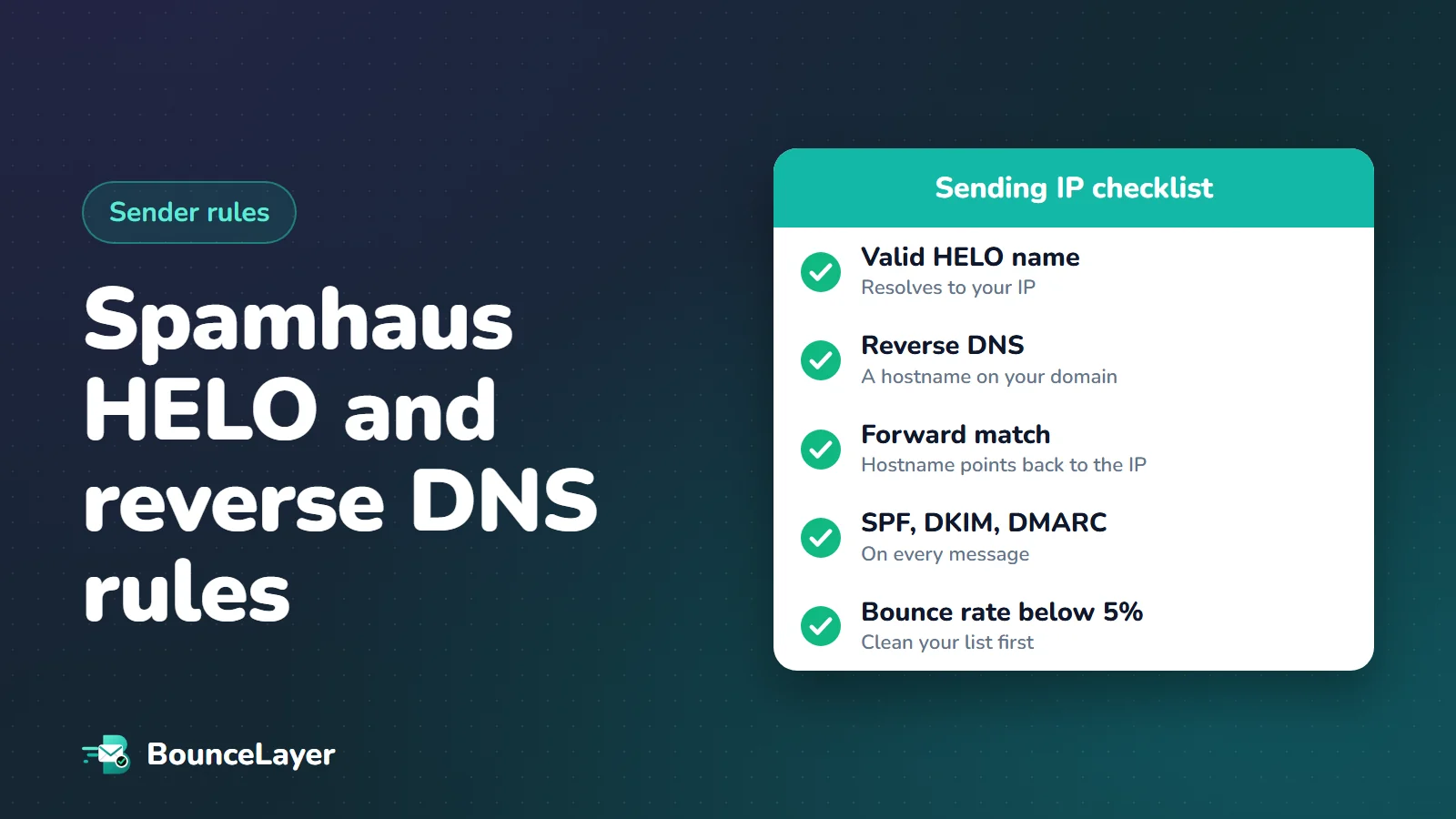
Spamhaus has published sender guidelines and, starting in November 2026, is gradually requiring every IP that sends email to have a valid HELO hostname, a reverse DNS (PTR) record pointing to a real hostname, and a matching A record that points back to the same IP. If you send through a large provider such as Google Workspace, Microsoft 365 or a major email marketing platform, the provider handles this for its own servers. If you send from your own server or a dedicated IP, check your HELO name and reverse DNS now, because IPs that fail can be listed.
What Spamhaus changed in November 2026
Spamhaus runs some of the most widely used blocklists on the internet. Many mail servers check them when another server connects, and an IP on a Spamhaus list can have much of its email refused. Until recently, the rules that led to a listing were spread across many help pages. In an announcement dated October 21, 2026, Spamhaus introduced a single set of Sender Guidelines.
The headline change is technical. In Spamhaus's own words, starting in November 2026 it is gradually rolling out a requirement for every sending IP to have a valid HELO, a reverse DNS (PTR) record, and a matching A record. Spamhaus describes the enforcement of these basic DNS requirements as rolling out over several months. It hasn't published phases or an end date, so the safe assumption is that your IP could be checked at any time from now on.
Spamhaus's announcement names DNS problems, alongside a lack of permission, as one of the two most common reasons for listings. Its guidelines explain why: inconsistent HELO names can point to residential proxies or malware, and IPs without reverse DNS are treated as suspicious. Well-run mail servers have had these records for years, so a server without them stands out.
The full guidelines are on spamhaus.org under Sender Guidelines. They separate "Required" items, which can lead to a listing, from "Recommended" ones, which are good practice.
Who this affects, and who it doesn't
The DNS rules apply to the IP address that actually connects to the receiving mail server. Whether that's your responsibility depends on how you send.
| How you send | Who handles HELO and reverse DNS | What you should check |
|---|---|---|
| Google Workspace or Microsoft 365 mailboxes | Your provider | SPF, DKIM and DMARC for your own domain |
| Mailchimp, Klaviyo, Brevo, HubSpot and similar on shared IPs | Your provider | Authentication for your domain, list quality and bounces |
| A dedicated IP from your email platform | Usually the provider, sometimes with your input | Ask whether reverse DNS uses your domain or theirs |
| Your own mail server (Postfix, Exim, Mailcow and similar) | You | Everything in this guide |
| An app sending directly from a VPS or cloud server | You | Everything in this guide |
| Cold email through Google or Microsoft inboxes | Your inbox provider | Authentication, volume, bounces and permission |
Bounces are the part of the guidelines you can fix today. Check your list for dead domains, typos and throwaway addresses in seconds, free.
Run a free list health checkThe three DNS rules, in plain English
The requirement sounds technical, but it comes down to three records agreeing with each other. Think of them as your server's name badge, the name on its door, and the address in the phone book.
- Reverse DNS (PTR record): when someone looks up your sending IP, it must return a fully qualified hostname, such as mail.example.com. Spamhaus says IPs without reverse DNS will be treated as suspicious.
- Forward-confirmed reverse DNS: that hostname must, in turn, resolve back to the same IP through an A record (or AAAA for IPv6). A name that points somewhere else, or nowhere, doesn't count.
- HELO/EHLO name: when your server starts a conversation with another mail server, it introduces itself with a hostname. That name must resolve to the IP it's connecting from, and it must stay the same across connections. Multiple HELO names pointing to different IPs is, in Spamhaus's words, a possible sign of residential proxy or malware behaviour.
What counts as a bad hostname
Having a reverse DNS record isn't quite enough. Spamhaus lists generic, auto-generated names from hosting providers among the things not to do. Its own examples look like static-203-0-113-25.hosting.example.net or vps-25.dedicated.hosting.example.com. These are the names many hosting companies assign by default, which is exactly why they're common on servers nobody has configured properly.
Spamhaus recommends a branded hostname on your own domain instead, such as mail.yourcompany.com, and keeping the HELO name the same as the reverse DNS name where you can. It also suggests putting a simple web page on the HELO hostname that explains what the server is or redirects to your main site, so anyone investigating can see who runs it.
- Don't use placeholder HELO names like localhost.
- Don't use your hosting company's or ISP's generic hostname when you can use your own domain.
- Don't point your HELO name at a machine that doesn't send the mail.
- Never use a HELO name that pretends to be Gmail, Hotmail or another provider.
How to check your sending IP in five minutes
You don't need special tools. Start by finding the IP and HELO name your mail really uses: send an email to a Gmail account, open it, choose "Show original", and look at the lowest Received line added by Gmail. It shows the name your server introduced itself with and the IP it connected from.
Then run three lookups from any computer with the dig command, or use an online DNS lookup tool that shows PTR and A records.
# 1. Reverse DNS: which hostname does the IP point to?
dig -x 203.0.113.25 +short
# -> mail.example.com.

# 2. Forward-confirmed: does that hostname point back to the same IP?
dig A mail.example.com +short
# -> 203.0.113.25

# 3. HELO name: does it resolve to the sending IP too?
dig A mail.example.com +short
Use Spamhaus's own checkers
Spamhaus offers a HELO and DNS checker on its Sender Guidelines page: enter your sending IP and it reports whether the HELO and DNS meet the guidelines. Spamhaus notes that results may not be available for every IP and may not reflect very recent changes, so wait a little after fixing records before checking again.
You can also send an email to helocheck@abuseat.org, a Spamhaus address that replies with the HELO name your server used. It's a quick way to confirm what your mail server is really saying, which isn't always what its configuration file suggests.
Finally, check.spamhaus.org shows whether an IP or domain is currently listed, which list it's on, and what to do about it.
How to fix a missing or mismatched setup
Fixing this usually takes less than an hour of work, plus some waiting for DNS and your hosting provider.
If an IP is listed and you ask for removal before fixing the cause, it's likely to be listed again as soon as it sends. Fix the records, confirm they're live, then request removal at check.spamhaus.org.
- Pick a hostname on your own domain for the server, such as mail.yourcompany.com. If the server does something unusual, give it its own name rather than reusing one that another service depends on.
- Add an A record for that hostname pointing to the sending IP, in your DNS provider's dashboard.
- Ask your hosting provider to set the reverse DNS (PTR) for the IP to the same hostname. Some providers have a setting for this in their control panel. Many need a support ticket, and most check that the A record already exists first. On AWS, reverse DNS for an Elastic IP is set from the EC2 console.
- Set your mail server's HELO name to the same hostname. In Postfix, for example, that's the myhostname or smtp_helo_name setting.
- Make sure SPF allows the IP. Spamhaus says both the HELO domain and the envelope sender (MAIL FROM) domain need valid SPF records that cover the sending infrastructure.
- Check again with the steps above, and only then request removal from any Spamhaus list.
Keep different kinds of email apart
The guidelines recommend separate DKIM signing domains for each mail stream, and using subdomains rather than look-alike cousin domains. In practice, that means keeping your most important email (sign-up codes, password resets, receipts) on infrastructure and names that are separate from riskier email such as marketing blasts or cold outreach.
If one stream gets into trouble, a separate name and IP stop the damage spreading to the email your customers depend on. The same goes for any server that connects to other mail servers for a special purpose: give it its own clearly named hostname, so its reputation stands alone.
The other rules in the guidelines
DNS gets the headlines, but the guidelines cover much more. The table below summarises the main items Spamhaus marks as required. Read the full page for the detail behind each one.
| Area | What Spamhaus requires |
|---|---|
| Permission | Bulk email only to recipients who confirmed their opt-in. No purchased, rented or harvested lists |
| SPF | A record covering every sending IP, within the 10 DNS lookup limit |
| DKIM | A valid signature on every message, with keys of at least 1024 bits (2048 recommended) |
| DMARC | A published policy, with the From domain aligned to DKIM. p=none is acceptable to start, but an enforcement policy is recommended |
| Bounces | An overall bounce rate below 5% |
| Unsubscribe | One-click unsubscribe for bulk commercial mail, a visible link in every email, and requests honoured within 2 days |
| Warm-up | HELO domains with no sending history get extra filtering, so new IPs and domains must start slowly |
| IPv6 | Sending addresses in an allocation of /64 or larger, with valid reverse DNS |
Warm-up rules worth knowing
Spamhaus treats any IP or domain that hasn't sent for 90 days as new, and recommends starting slowly and consistently, then increasing volume gradually. Any change of IP or HELO name counts as a new asset without history, which is worth remembering when you fix your HELO name: start with your most engaged recipients for a while.
Two warnings stand out. First, Spamhaus says services that generate artificial engagement, simulating opens, clicks and replies to warm up a domain, will get the IP or domain listed. Second, newly registered domains are treated with suspicion. Domains registered in the last 24 hours are on Spamhaus's Zero Reputation Domains list, and Spamhaus recommends not using a new domain for email for at least 30 days after registration.
Where list cleaning fits, and where it doesn't
The bounce rule is the one most senders can act on today. Keeping the overall bounce rate below 5% is a requirement in the guidelines, and Spamhaus recommends suppressing hard bounces immediately and investigating addresses that soft bounce three to five times in a row. Verifying a list before you send removes addresses that don't exist, so they never become bounces in the first place.
Be clear about the limits, though. Spamhaus says directly not to use list validation to clean spam traps. Spam traps are real, working addresses, so no verification tool can reliably spot them, and trying to hide them treats the symptom rather than the cause. Spamhaus's advice is to find and close the source that let bad addresses in, use confirmed opt-in, and run a sunset policy that stops mailing people who haven't engaged in a long time. It notes that mailboxes inactive for more than 12 months can be turned into spam traps.
Fix your DNS and authentication first, then clean your list to bring bounces down, then tighten how addresses get onto the list in the first place. Each step protects the others.
What happens if your IP is listed
Spamhaus says that failing the infrastructure and DNS requirements can lead to an IP being listed on its Email Spam IPs zone (CSS) or its compromised IPs zone (XBL). Receivers that use these lists will reject or filter mail from the IP, so you'll usually notice through bounce messages that mention Spamhaus, or through a sudden drop in delivery to some domains.
Start at check.spamhaus.org. Enter the IP to see which list it's on and the reason. Fix the cause, confirm the fix with the HELO and DNS checker, then use the removal option shown there. Large mailbox providers also run their own reputation systems, so if one of them is still blocking you after a Spamhaus removal, use that provider's own delisting process.
Your Spamhaus readiness checklist
Work through this list once for every IP and domain you send from, and again whenever you add a new server or email service.
| Check | How | Good result |
|---|---|---|
| Reverse DNS | dig -x <your IP> | A hostname on your own domain |
| Forward match | dig A <that hostname> | The same IP |
| HELO name | Email helocheck@abuseat.org | The same hostname, every time |
| SPF | A free SPF checker | Covers the IP, under 10 lookups |
| DKIM | A free DKIM checker | Key found, 2048-bit if possible |
| DMARC | A free DMARC checker | A record with a policy and reporting address |
| Bounce rate | Your sending reports | Well under 5%, ideally under 2% |
| Listing status | check.spamhaus.org | Not listed |
Common questions
When do the new Spamhaus rules start?
Spamhaus says it is gradually rolling out the HELO and reverse DNS requirement starting in November 2026, over several months. It hasn't published an end date, so treat it as already in effect.
Do I need to do anything if I use Gmail or Microsoft 365?
Not for HELO and reverse DNS, because Google and Microsoft manage those for their own servers. You still need SPF, DKIM and DMARC on your domain, a clean list and low complaint rates.
What is forward-confirmed reverse DNS?
It means the reverse DNS of your sending IP points to a hostname, and that hostname's A record points back to the same IP. Both directions have to agree.
Can I use my hosting company's default hostname?
Spamhaus lists generic, auto-generated hosting names among the things not to do and recommends a hostname on your own domain. Ask your provider to set a custom reverse DNS name.
What bounce rate does Spamhaus allow?
The guidelines require an overall bounce rate below 5%, and recommend suppressing hard bounces immediately. Many senders aim much lower, under 2%.
Will email verification remove spam traps?
No, and Spamhaus advises against using list validation for that. Verification removes addresses that don't exist. Spam traps are working addresses, so the fix is confirmed opt-in and better list sources.
How do I get removed from a Spamhaus list?
Fix the cause first, then go to check.spamhaus.org, look up the IP or domain, and follow the removal steps shown. Requesting removal without fixing the cause usually leads to a new listing.