The New DMARC Standard (RFC 9989): What Changed and What You Need to Do
DMARC became an official internet standard in May 2026. Here's what changed in plain English, which tags were added and retired, and the short list of things worth checking on your own domain.
 Written byBounceLayer Team
Quick answer
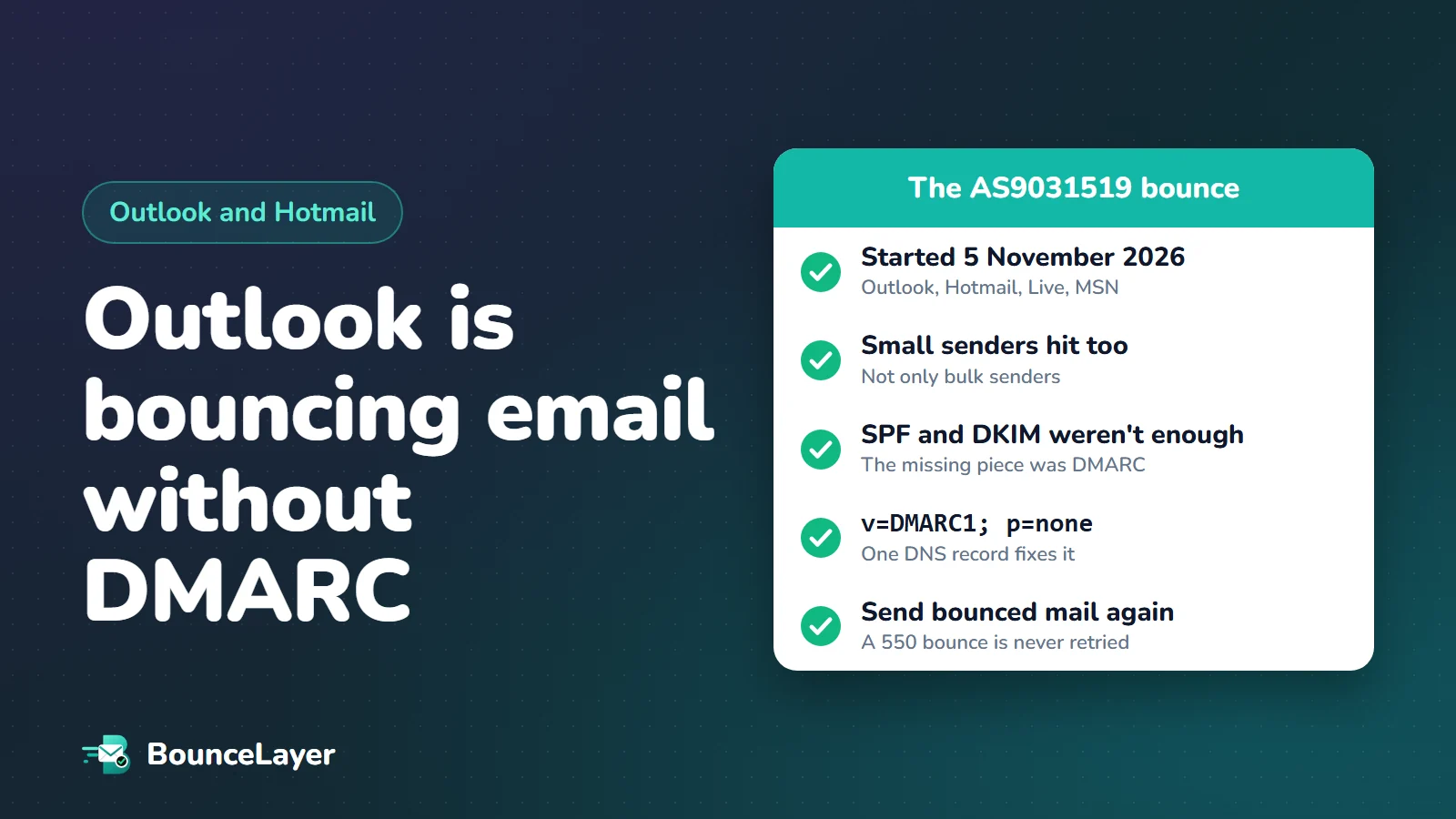
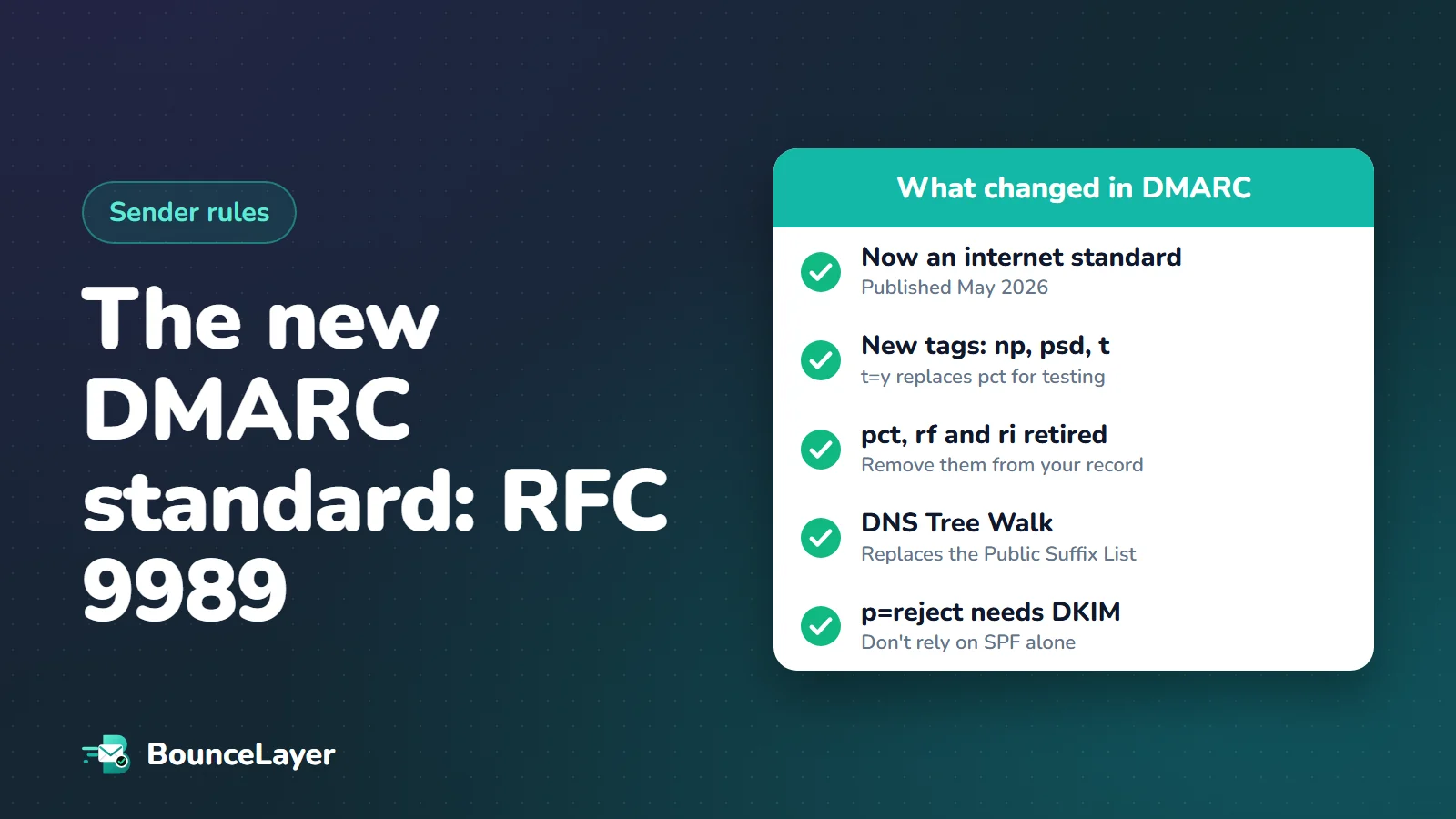
RFC 9989, published in May 2026, replaces the original DMARC document (RFC 7489) and puts DMARC on the internet standards track. A record that starts with v=DMARC1 is still the format, so most domains don't need to change anything urgently. The main changes are three new tags (np, psd and t), three retired tags (pct, rf and ri), a new way of finding a domain's policy called the DNS Tree Walk, and firmer advice: domains using p=reject must sign with DKIM and not rely on SPF alone. If your record uses pct, plan to replace it with the new t tag.
What is RFC 9989?
DMARC is the DNS record that tells mail providers what to do with email that claims to come from your domain but fails authentication. For over a decade it was defined by RFC 7489, a document that, surprisingly, was never an official standard. In the words of the new RFC, it was "not the product of any IETF work stream" and was published only for information.
That changed in May 2026, when the IETF published RFC 9989, titled "Domain-Based Message Authentication, Reporting, and Conformance (DMARC)". It's a standards-track document, listed by the RFC Editor as a Proposed Standard, and it obsoletes both RFC 7489 and RFC 9091, an experimental extension for public suffix domains. During its years of drafting it was widely known as DMARCbis.
Two companion documents were published at the same time. RFC 9990 covers aggregate reports, the daily summaries you receive at your rua address, and RFC 9991 covers failure reports. Reporting used to be part of the main DMARC document and now lives in these two.
Do you need to change your DMARC record?
For most domains, not urgently. The version tag is still v=DMARC1, and the RFC says new tags are designed "to avoid changing the semantics of existing records" when read by older software. A simple record like the one below is as valid under RFC 9989 as it was before.
There are three situations where you should plan a change: your record uses the pct tag, you publish p=reject but only pass DMARC through SPF, or you have very deep subdomains (more than eight labels). Each is covered below.
v=DMARC1; p=none; rua=mailto:dmarc-reports@example.comSee your domain's DMARC record, policy and reporting address in seconds. Free, with no sign-up.
Check my DMARC recordWhat changed at a glance
Here's the short version of the differences between the old document and the new standard.
| Area | RFC 7489 (old) | RFC 9989 (new) |
|---|---|---|
| Status | Informational, not an IETF standard | Standards track (Proposed Standard) |
| Gradual rollout | pct tag, 0 to 100 | t tag, y or n |
| Subdomains that don't exist | Covered by sp or p | Own tag: np |
| Finding the organisational domain | Public Suffix List | DNS Tree Walk |
| Public suffix domains | Separate experiment (RFC 9091) | Built in, with the psd tag |
| Reporting | In the same document | Split into RFC 9990 and RFC 9991 |
| Report format and interval tags | rf and ri | Retired |
The three new tags: np, psd and t
RFC 9989 adds three tags. Only one of them, t, is something most domain owners will use directly.
- np sets the policy for subdomains that don't exist. Attackers like to send from made-up subdomains such as billing-secure.example.com. With np=reject you can refuse those outright, while keeping a softer sp policy for real subdomains. If np is missing, sp applies, and if that's missing too, p applies.
- psd says whether a domain is a public suffix domain. Values are y, n and u, with u (unknown) as the default. Registries that run suffixes like .bank publish psd=y. An ordinary organisation can publish psd=n to state that this domain is the organisational domain for itself and its subdomains. Most domains can leave it out.
- t is the test flag, with values y and n (n is the default). With t=y you ask receivers not to apply your policy at full strength. The RFC's expectation is one step down: quarantine is treated as none, and reject is treated as quarantine. It doesn't affect reports, and it has no effect when the policy is already none.
Why the pct tag was retired
The pct tag was meant for gradual rollouts: pct=25 asked receivers to apply your policy to a quarter of failing mail. In practice it never worked well. The RFC says pct was "usually not accurately applied, unless the value specified was either 0 or 100". On top of that, pct=0 had picked up an unintended second meaning for mailing lists.
So the new standard replaces it with t, which the RFC describes as shorthand for testing, with y and n meant to be analogous to pct=0 and pct=100. If you were using pct=100, you can simply remove it. If you were using a lower value to roll out a stricter policy, switch to t=y while you test, and remove it when you're ready to enforce.
What happens to a record that still contains pct? The RFC lists pct, rf and ri as historic and says unknown tags must be ignored. So a receiver following RFC 9989 will skip pct and apply your policy in full. A receiver still running older software may honour it. That mismatch is the reason to tidy the record up.
# Old style: gradual rollout with pct
v=DMARC1; p=quarantine; pct=25; rua=mailto:dmarc-reports@example.com

# New style: test mode with t
v=DMARC1; p=quarantine; t=y; rua=mailto:dmarc-reports@example.com

# With a strict policy for subdomains that don't exist
v=DMARC1; p=quarantine; np=reject; rua=mailto:dmarc-reports@example.com
The DNS Tree Walk, explained simply
To apply DMARC, a receiver has to work out which domain is the organisation behind an address. For mail from news.shop.example.co.uk, is the organisation example.co.uk or co.uk? The old document relied on the Public Suffix List, a community-maintained file of suffixes such as .com and .co.uk. It worked, but it meant every receiver depended on keeping a copy of an outside list up to date.
RFC 9989 replaces that with the DNS Tree Walk. The receiver first looks for a DMARC record at the exact domain in the From address. If there isn't one, it removes the left-most label and looks again, working up the tree one level at a time. The answers it finds along the way tell it where the organisational domain is.
To keep this cheap, the walk is capped. The RFC builds in a shortcut so that even very long names "do not result in more than eight DNS queries". One consequence: a DMARC record sitting more than eight labels deep can be missed by the walk, so the RFC says owners of such long names must publish a record at the exact domain they send from. That's rare, but worth knowing if you use deeply nested subdomains.
If your DMARC record is at _dmarc.yourdomain.com, the tree walk finds it and nothing changes. Subdomains without their own record still inherit from it.
Using p=reject? You must sign with DKIM
The new standard is firmer about authentication. It recommends that domain owners use both SPF and DKIM. For the strictest policy it goes further: domains that publish p=reject "MUST NOT rely solely on SPF" and must apply valid DKIM signatures.
The reason is forwarding. When an email is forwarded, the forwarding server's IP isn't in your SPF record, so SPF fails. A DKIM signature travels with the message and usually survives. If SPF is your only passing check and your policy is reject, your forwarded mail gets refused.
Check this with a test: send an email to a Gmail account, choose "Show original", and confirm that DKIM says PASS with your own domain. If DKIM passes only for your email provider's domain, set up a custom DKIM key for your domain in that provider's settings.
What the standard says about mailing lists
RFC 9989 is frank about a long-standing problem. It says p=reject "can be incompatible with and cause interoperability problems" for indirect mail flows such as forwarding services, role-based aliases and mailing lists. Its advice is that domains whose users post to mailing lists should not publish p=reject.
If you do move to reject, the RFC suggests doing it in stages: publish p=none for at least a month, then p=quarantine for an equally long period, and only then p=reject. It also tells receivers not to reject a message solely because of a p=reject policy without other evidence.
For a business domain used mostly for marketing, transactional email and normal correspondence, p=reject is still a sound goal. Just get there gradually, and read your reports at each stage.
Changes to DMARC reports
Reports keep working as before, with a few changes worth knowing. Aggregate reports are now defined in RFC 9990 and failure reports in RFC 9991. The ri tag, which asked for a reporting interval, is retired; the standard says receivers should send aggregate reports at least once every 24 hours. The rf tag, which requested a failure report format, is also retired, and so is the option to set a maximum report size in the rua address.
Reports from updated receivers can include new details, such as whether your record was in test mode and whether the receiver found your policy through the tree walk or the older list method. RFC 9991 also notes that many large providers limit or disable failure reports entirely, so don't worry if you never receive any.
A checklist for your domain
You can work through this in under half an hour for a typical domain.
| Check | What to do |
|---|---|
| Record exists | Look up _dmarc.yourdomain.com with a free DMARC checker |
| Starts with v=DMARC1 | It must be the first tag, exactly as written |
| Has a rua address | Without it, receivers must not send you aggregate reports |
| Uses pct | Remove pct=100. Replace lower values with t=y while testing |
| Uses rf or ri | Remove them. They're retired and will be ignored |
| Policy is p=reject | Confirm DKIM passes with your own domain, not just SPF |
| Fake subdomains are a risk | Consider adding np=reject |
| Very deep subdomains | Publish a DMARC record at the exact sending domain |
| Still at p=none after months | Fix failing senders in your reports, then move to quarantine |
What mailbox providers require today
The new standard doesn't change what Gmail, Yahoo and Microsoft ask for. Gmail's sender guidelines still require a DMARC record from anyone sending 5,000 or more messages a day to Gmail accounts, and a policy of p=none is enough to meet that rule. Spamhaus's sender guidelines, introduced in October 2026, also require a published DMARC policy and recommend moving to an enforcement policy over time.
Each provider adopts new standards on its own schedule, so during the transition some receivers will read your record the old way and some the new way. A record that avoids the retired tags behaves the same under both, which is the simplest position to be in.
Where DMARC fits with a clean list
DMARC proves that your email is really yours. It doesn't decide whether the people on your list exist or want your email. Mail providers judge you on both: authentication on one side, bounces and complaints on the other. A domain with a perfect DMARC setup can still land in spam if a campaign bounces heavily.
So treat them as two halves of the same job. Get SPF, DKIM and DMARC right once, then keep bounces low by removing invalid addresses before each send.
Check your DMARC record, then run your list through verification. One protects your identity, the other protects your reputation.
Common questions
What is RFC 9989?
It's the IETF document, published in May 2026, that defines DMARC. It replaces RFC 7489 and RFC 9091 and puts DMARC on the internet standards track.
Is DMARCbis the same as RFC 9989?
Yes. DMARCbis was the working name for the update while it was being drafted. RFC 9989 is the published result, alongside RFC 9990 and RFC 9991 for reporting.
Is there a DMARC2 or a new version tag?
No. Records still begin with v=DMARC1. The RFC adds tags without changing the version.
Will my existing DMARC record stop working?
It shouldn't. The format is unchanged, and new tags are designed not to change the meaning of existing records. Retired tags such as pct are simply ignored by receivers that follow the new standard.
What replaces the pct tag?
The t tag. t=y means test mode, where receivers apply a policy one step weaker than the one you published. t=n, the default, means apply the policy as written.
What does np do in a DMARC record?
It sets the policy for subdomains that don't exist in DNS. np=reject lets you refuse mail from made-up subdomains without changing the policy for your real ones.
Do I need both SPF and DKIM for DMARC?
DMARC passes if either one passes and aligns with your From domain. The RFC recommends using both, and says domains with p=reject must sign with DKIM and must not rely on SPF alone.
What is the DNS Tree Walk?
It's the new way receivers find the DMARC record that applies to a domain. They look at the exact domain first, then walk up one label at a time, with a cap of eight DNS queries.