Outlook Is Rejecting Email Without DMARC: The AS9031519 Bounce Explained
For five days in November 2026, Outlook.com, Hotmail, Live and MSN bounced mail from domains with no DMARC record, including small senders. Here's what happened, what Microsoft has and hasn't said, and the ten-minute fix.
 Written byBounceLayer Team
Quick answer
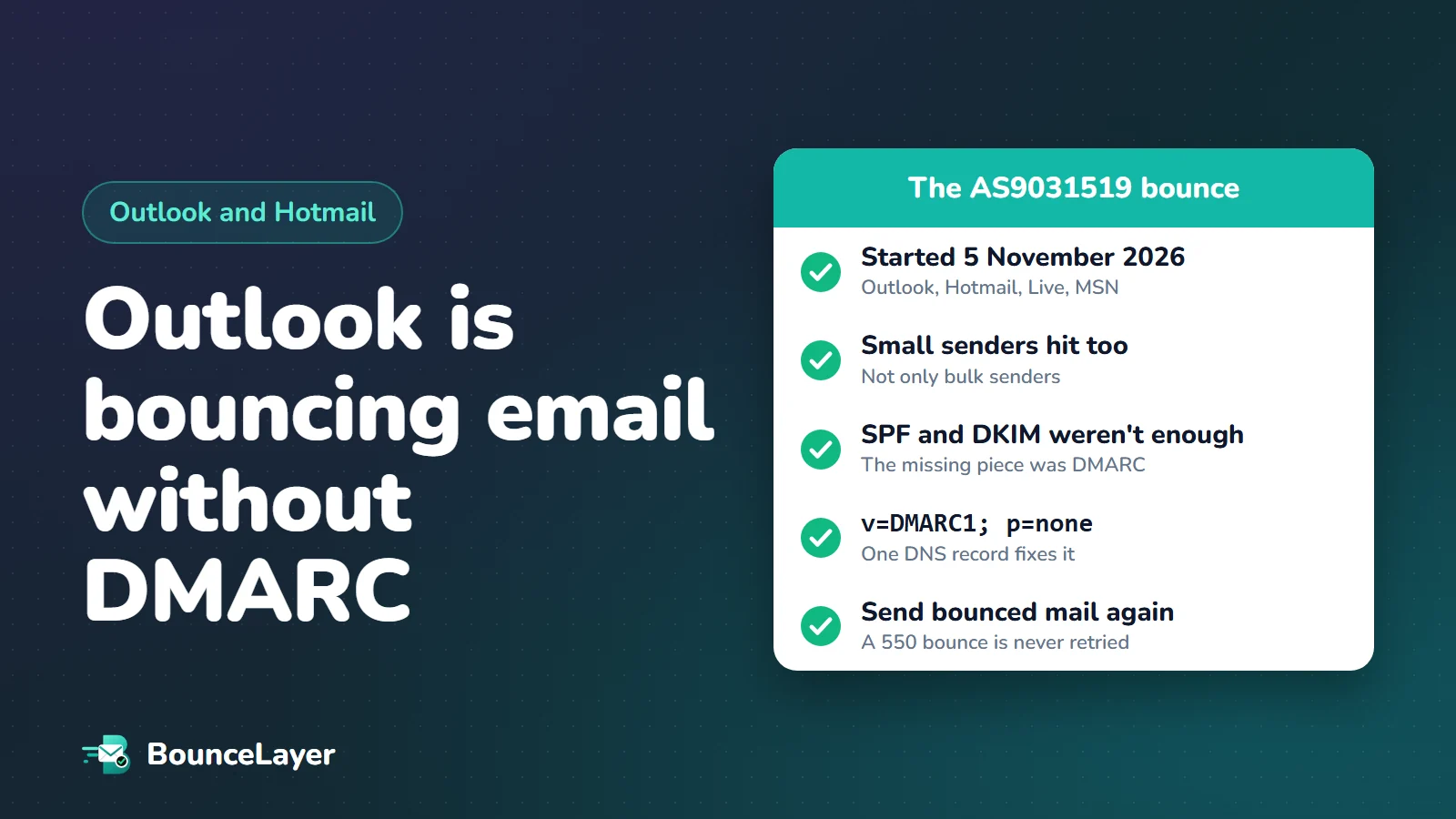
From 5 November 2026, Outlook.com, Hotmail, Live and MSN bounced some email from domains that had no DMARC record, with the error "550 5.7.1 Message rejected: Message lacks SPF/DKIM/DMARC Auth Records (AS9031519)". It hit small senders as well as bulk senders, and passing SPF and DKIM did not prevent it. Mail filtering company MailRoute reports the bounces stopped on 9 November after Microsoft rolled back a spam-rule update. The fix is the same either way: publish a DMARC record, starting with v=DMARC1; p=none, and send again anything that bounced.
What happened?
In the first week of November 2026, people who run mail servers started seeing a new kind of bounce from Microsoft. Messages to addresses at Outlook.com, Hotmail, Live and MSN came straight back with a permanent error saying the message "lacks SPF/DKIM/DMARC Auth Records".
The senders had one thing in common: their domain had no DMARC record. Many of them had SPF set up correctly, and many had DKIM too. That was the surprise. Until then, Microsoft only required DMARC from domains sending more than 5,000 messages a day to its consumer mailboxes.
This article sets out what is known, who it comes from, and what is still unconfirmed. We have not run our own tests of this. The facts below come from reports by MailRoute (a mail filtering company that saw the bounces in its own sending logs), EasyDMARC (a DMARC company that reproduced it), the German tech publisher heise online, and the mailop mailing list where mail administrators compare notes.
| Date (2026) | What was reported | Reported by |
|---|---|---|
| 5 November | First bounces appear in sending logs. The error text has no code at the end yet. | MailRoute, EasyDMARC |
| 6 November | The code (AS9031519) appears at the end of the error. Administrators start a thread on the mailop list. | EasyDMARC |
| 7 November | Tech press coverage begins and a Microsoft Q&A forum thread fills with reports. | EasyDMARC |
| 8 November | A test message from a domain with passing SPF and DKIM, but no DMARC record, is bounced by a live.com address. | EasyDMARC |
| 9 November | A moderator in Microsoft's Q&A forum classes the problem as an outage and says Microsoft is investigating. | heise online |
| 9 November, 11:02 UTC | The bounces stop. | MailRoute |
| 10 November | MailRoute reports that Microsoft told its business customers a spam-rule update wrongly blocked this mail and was rolled back. | MailRoute |
What does the AS9031519 error mean?
The full bounce message that senders received is shown in the box below.
In plain English: Microsoft's mail server refused the message because it could not find the records that prove the sending domain is who it says it is. The "550" at the start means the refusal is permanent. The "(AS9031519)" at the end is Microsoft's internal label for the rule that made the decision.
The wording is broader than what actually triggered it. The message names SPF, DKIM and DMARC together, but in the reported cases SPF and DKIM were present and passing. The missing piece was DMARC.
SPF lists the servers allowed to send mail for your domain. DKIM adds a signature to each message that proves it wasn't altered. DMARC is a short DNS record that tells mail providers what to do when a message fails those checks, and where to send you reports. You can have SPF and DKIM without DMARC, and that is the setup that was bounced.
550 5.7.1 Message rejected: Message lacks SPF/DKIM/DMARC Auth Records (AS9031519)See whether your domain has a DMARC record, and whether it's written correctly. It takes a few seconds and there's no sign-up.
Check your DMARC recordWho was affected?
On the sending side, any domain with no DMARC record, at any volume. EasyDMARC put it this way: a five-person accounting firm emailing a client at hotmail.com could get this bounce. That includes businesses whose own email is hosted on Microsoft 365 but who never added a DMARC record.
On the receiving side, only Microsoft's consumer mailboxes: outlook.com, hotmail.com, live.com, msn.com and their country versions. EasyDMARC reports that Microsoft 365 business mailboxes on a company's own domain did not appear to be affected as recipients.
It was also inconsistent. MailRoute and EasyDMARC both describe one message from a domain getting through and the next one bouncing, with a resend sometimes working. None of the reports gives a figure for how much mail was refused.
- Hit: domains with no DMARC record, including small senders and domains with passing SPF and DKIM.
- Not hit, according to the reports: domains that already had a DMARC record, even one set to p=none.
- Unclear: heise online notes that some administrators in Microsoft's forum reported bounces for domains they say have SPF, DKIM and DMARC all set up correctly. It is not known whether those cases had the same cause.
What has Microsoft said?
Very little in public. EasyDMARC checked Microsoft's security blog, the Outlook.com sender support pages and the known-issues list on 8 November and found nothing about it. We could not find a public announcement either.
What exists is second-hand. heise online reported on 9 November that a moderator in Microsoft's Q&A forum had classed the problem as an outage under investigation. MailRoute then reported on 10 November that Microsoft had explained it in Microsoft 365 Service Health, a status page that only administrators of Microsoft business accounts can see. According to MailRoute, Microsoft said an update to its spam enforcement rules wrongly blocked this mail, and that the update had been rolled back.
We are passing that on as MailRoute's account, not as a statement we have read ourselves. MailRoute also says Microsoft's notice mentioned that some senders received a different error, 550 5.7.23, during the same period.
Even if this was a mistake, it shows where Microsoft is heading. The rule existed, it was switched on, and it checked for a DMARC record on every sender. Microsoft already rejects bulk senders without DMARC, and Gmail and Yahoo have required it from bulk senders since February 2024. Treat this as an early warning and add the record now, while nothing is bouncing.
AS9031519 vs 550 5.7.515: two different rules
If you search for Outlook DMARC bounces you will find two error codes, and they are easy to mix up. They come from different rules.
The older one, 550 5.7.515, belongs to the bulk-sender requirements Microsoft announced in April 2025 and began enforcing on 5 May 2025. Those apply to domains that send more than 5,000 messages a day to Microsoft's consumer mailboxes. Such domains must pass SPF and DKIM, and publish a DMARC record of at least p=none that lines up with SPF or DKIM.
The November 2026 bounce used a different code and applied to senders of every size. As heise online put it, the bounces did not clearly correspond to any rule Microsoft had published.
| 550 5.7.515 | 550 5.7.1 (AS9031519) | |
|---|---|---|
| Error text | Access denied | Message lacks SPF/DKIM/DMARC Auth Records |
| Who it applies to | Domains sending over 5,000 messages a day | Any domain with no DMARC record, at any volume |
| Announced by Microsoft | Yes, in April 2025 | No public announcement |
| In force | Since 5 May 2025 | Reported 5 to 9 November 2026, then rolled back according to MailRoute |
| What fixes it | Pass SPF and DKIM, and publish DMARC that lines up with one of them | Publish a DMARC record |
How to fix it: add a DMARC record
A DMARC record is one line of text that you add where your domain's DNS is managed. That is usually the company you bought the domain from, or a service such as Cloudflare. You don't need to change anything on your mail server.
Start with the gentlest setting, p=none. It tells mail providers "don't treat my mail any differently, just send me reports". It cannot cause your own mail to be blocked, which makes it safe to add today. According to MailRoute, adding this record was the whole fix for its affected senders.
Replace the address in the example with a mailbox you can read. Mail providers send daily summary reports there, so a dedicated mailbox or a DMARC reporting service is easier to live with than your own inbox.
- Check first that you don't already have one. Two DMARC records on the same domain count as none.
- The name must be _dmarc (some DNS providers want the full form, _dmarc.yourdomain.com).
- If you send from a subdomain such as mail.yourdomain.com, the record on your main domain covers it.
- DNS changes usually show up within an hour, though some providers take longer.
- Use a free DMARC checker afterwards to confirm the record is visible and has no typing mistakes.
Type:   TXT
Name:   _dmarc
Value:  v=DMARC1; p=none; rua=mailto:dmarc-reports@yourdomain.com
A record alone is not the finish line
Having a DMARC record and passing DMARC are two different things. To pass, a message must pass SPF or DKIM, and the domain that passed must match the domain in your From address. This matching is called alignment.
The usual way to fail is an email tool that signs your mail with its own domain. Your newsletter service, CRM or help desk sends as you@yourdomain.com, but the DKIM signature says the tool's domain. SPF and DKIM both "pass", and DMARC still fails. The fix is in each tool's settings, usually under a name like "authenticate your domain" or "custom DKIM".
The reports that arrive at your rua address show you which services send mail as your domain and whether each one passes. Read them for two to eight weeks, fix what fails, and then tighten the policy.
If you own a domain that sends no email at all, such as a spare or parked domain, you can set it straight to p=reject. There is no real mail to protect, and it stops anyone using the domain to send fake messages.
| Setting | What it tells mail providers | When to use it |
|---|---|---|
| p=none | Deliver as normal and send me reports | Now, as your starting point |
| p=quarantine | Put mail that fails in the spam folder | Once your reports show all your real mail passing |
| p=reject | Refuse mail that fails | The end goal. It stops other people sending email as your domain |
What to do with mail that already bounced
A 550 error is a permanent refusal. Your mail server does not try again by itself, so any message that bounced between 5 and 9 November was never delivered. Invoices, password resets, order confirmations and replies to customers all need sending again.
Be careful with your contact list. Many email tools automatically mark an address as bad after a permanent bounce and stop sending to it. These addresses are not bad. The mailbox exists; Microsoft refused the message because of the sender's records, not because of the recipient.
- Search your sending logs or your email tool's bounce report for "AS9031519" or "lacks SPF/DKIM/DMARC".
- Add your DMARC record first, then send those messages again.
- In your email tool, find the contacts that were suppressed on those dates for this reason and restore them.
- Don't treat these bounces as a sign your list is out of date. A bounce that says "mailbox does not exist" is about the address. This one was about your domain.
A five-minute check for your domain
Whether or not you were affected, it is worth knowing where you stand. Work through this list for every domain you send email from, including the ones used by your billing system, website forms and marketing tools.
- SPF: one record, starting with v=spf1, that lists every service sending mail for you. It must need no more than 10 DNS lookups.
- DKIM: switched on in every tool that sends as your domain, signing with your domain and not the tool's.
- DMARC: one record at _dmarc, with at least p=none and a rua address you actually read.
- Alignment: send yourself a test message, open the full headers, and look for dmarc=pass.
- Unsubscribe: marketing email has a one-click unsubscribe link, and your spam complaint rate stays under 0.3%.
- List quality: remove addresses that no longer exist before you send. Bounces from dead mailboxes hurt your reputation with every provider, and no DNS record fixes that.
What we still don't know
It is better to be clear about the gaps than to guess.
- Whether Microsoft plans to require DMARC from every sender. It has announced no such rule. The published requirement still applies only above 5,000 messages a day.
- Whether the November rule was a test, an early rollout or a plain mistake. MailRoute's account of Microsoft's notice says mistake. EasyDMARC, writing before that, thought the pattern looked too consistent to be random.
- How much mail was refused. No report gives a number.
- Whether the administrators who reported bounces with SPF, DKIM and DMARC all in place were hit by the same rule or by something else.
- We will update this article if Microsoft publishes a statement.
Common questions
What does "Message lacks SPF/DKIM/DMARC Auth Records (AS9031519)" mean?
It is a bounce from Microsoft's consumer mail service (Outlook.com, Hotmail, Live, MSN). It means Microsoft refused the message because it could not find the records that prove the sending domain is genuine. In the cases reported in November 2026, the missing record was DMARC, even when SPF and DKIM were set up and passing.
Is Outlook still rejecting email without DMARC?
According to MailRoute, the bounces stopped at 11:02 UTC on 9 November 2026 after Microsoft rolled back a spam-rule update. Microsoft has not made a public announcement that we could find. Domains sending more than 5,000 messages a day to Outlook.com are still required to have DMARC under the rule Microsoft has enforced since 5 May 2025.
Do small senders need a DMARC record?
Microsoft, Gmail and Yahoo only formally require it from bulk senders. But the November 2026 bounces hit senders of every size, and a DMARC record with p=none is free, takes about ten minutes to add and cannot block your own mail. Every domain that sends email should have one.
Will p=none stop the AS9031519 bounce?
The senders who reported the problem say yes: publishing a record with p=none stopped the bounces. MailRoute described the DMARC record as the whole fix for its affected senders. Keep in mind that p=none does not stop other people sending fake email as your domain. For that you need to move to p=quarantine and then p=reject.
What is the difference between 550 5.7.515 and 550 5.7.1 AS9031519?
550 5.7.515 "Access denied" is the error for Microsoft's published bulk-sender rule, which applies to domains sending more than 5,000 messages a day. 550 5.7.1 with the code AS9031519 appeared in November 2026, was not announced, and applied to domains with no DMARC record at any sending volume.
Will Outlook retry the emails that bounced?
No. A 550 error is a permanent refusal, so the sending server does not try again. Anything that bounced has to be sent again by you, after you have added a DMARC record.
Should I remove the addresses that bounced with this error?
No. This bounce was about the sender's domain, not the recipient's mailbox. The addresses are still valid. If your email tool suppressed them automatically, restore them and send again.
I have SPF, DKIM and DMARC and still got bounces from Outlook. Why?
Some administrators reported this in Microsoft's forum, and it is not known whether those cases had the same cause. Check the full headers of a delivered message for dmarc=pass. The most common problem is alignment: an email tool signing with its own domain instead of yours. If everything passes and mail still bounces, contact Microsoft's sender support.