Gmail's AI Inbox and Gemini Summaries: What Email Senders Need to Know
Gmail now uses Gemini to summarise threads and to build an AI Inbox of to-dos and topics. Here's what Google has actually documented, what's still guesswork, and what to change in your emails.
 Written byBounceLayer Team
Quick answer
Gmail has two Gemini features that matter to senders. AI Overview summaries condense long email threads when a reader asks for one, and Google says they're available to all Gmail users. AI Inbox, a beta that's only available in the US in English on eligible paid plans, shows suggested to-dos and topics to catch up on, and Google says it only uses messages from the Primary tab, not Promotions. Google hasn't published any sender rules for either feature. What still decides whether your email is seen is the same as before: authentication, a clean list, low spam complaints, and clear emails that say the important thing first.
What changed in Gmail
Over the past year, Google has brought its Gemini AI model deeper into Gmail. For people reading email, that means two visible changes: Gmail can summarise long conversations, and some users get a new AI Inbox view that pulls out tasks and topics instead of showing a simple list of messages.
For anyone who sends email, the worry is obvious. If an AI reads the message first and decides what the reader sees, do the old rules still apply? Much has been written about this, and a lot of it is speculation. This guide sticks to what Google's own help pages say, and marks clearly where the evidence stops.
The two features, side by side
The features are often mixed up, but they do different jobs and reach very different numbers of people.
| AI Overview summaries | AI Inbox | |
|---|---|---|
| What it does | Summarises the key points and replies in a long email thread | Shows suggested to-dos and topics to catch up on |
| Who has it | All Gmail users globally, in some languages | Beta: US only, English only, eligible paid plans |
| When it appears | When the reader clicks to summarise a thread | As a separate inbox view |
| Which emails | Email threads the reader opens | Primary tab only, not Promotions or Social |
Start with the gate every email has to pass. Check your list for dead domains, typos and throwaway addresses in seconds, free.
Run a free list health checkHow AI Overview summaries work
Google's help page describes this feature as a way to catch up on long email threads. Gemini can "generate an AI Overview at the top of the thread that synthesizes key points and replies in the conversation", and it can suggest reminders for tasks with a due date. The reader opens a thread and clicks a button to summarise it.
Notice what that description covers: threads with several messages, opened by the reader. Google's page doesn't say that single marketing emails are summarised automatically in the inbox list before they're opened. Some articles claim this happens, and Gmail does have a separate summary cards feature for things like orders and travel, but the thread summary feature itself is described as on request.
Readers can switch summaries off by turning off Gmail's smart features, though Google notes this also disables other tools such as AI-assisted writing.
How AI Inbox works
AI Inbox is the bigger change in principle, and the smaller one in reach. Google describes two sections. "Suggested to-dos" shows "high-priority items from incoming emails that need your attention". "Topics to catch up on" gives a quick summary of important updates across projects and topics, with examples such as upcoming travel, restaurant reservations and purchase confirmations.
Google's page is clear about its limits. AI Inbox "is currently in beta and may change over time", and "this feature is only available in the US and in English". Personal accounts need an eligible Google AI plan, and work accounts need an eligible Google Workspace plan.
- It only surfaces information from messages in the Primary tab, not other tabs such as Social or Promotions.
- It filters out spam, and messages the reader archives, deletes, mutes or snoozes.
- It doesn't support attachments, delegated inboxes or encrypted emails.
- It can take up to 7 days for a reader's first to-dos and topics to appear.
What this means for marketing email
Put those facts together and the picture is calmer than the headlines. Most newsletters and promotions land in the Promotions tab, and Google says AI Inbox doesn't draw from it. So for now, AI Inbox neither promotes nor buries a typical marketing email. It simply doesn't look at it.
The emails AI Inbox does read are the ones in Primary: personal messages, and often transactional email such as receipts, bookings and shipping updates. Google's own examples, purchase confirmations and reservations, are exactly that kind of message. If you send transactional email, clear and well-structured messages matter more than ever, because they may be turned into a to-do or a topic summary.
And whatever tab your email lands in, a reader can ask Gemini to summarise the thread. That makes one habit worth adopting everywhere: write so that a summary of your email still says what you need it to say.
Disguising marketing as personal email to reach the Primary tab tends to raise spam complaints, and complaints hurt far more than the Promotions tab ever will.
What Google has not said
It helps to be clear about the gaps, because much of the advice online fills them with guesses.
- Google has not published sender requirements, formatting rules or character limits for AI summaries or AI Inbox.
- Google's sender guidelines page doesn't mention AI or Gemini at all.
- Google hasn't documented how AI Inbox decides what is high priority, beyond the limits listed above.
- Google hasn't said that Gemini opens emails in a way that affects senders' open tracking.
- Statistics about falling click rates or inbox placement after these features launched come from vendors, not from Google, and they often disagree with each other.
Write emails that survive a summary
You can't control what a summary says, but you can make the right summary easy to produce. These habits help human readers just as much, so there's no downside to adopting them.
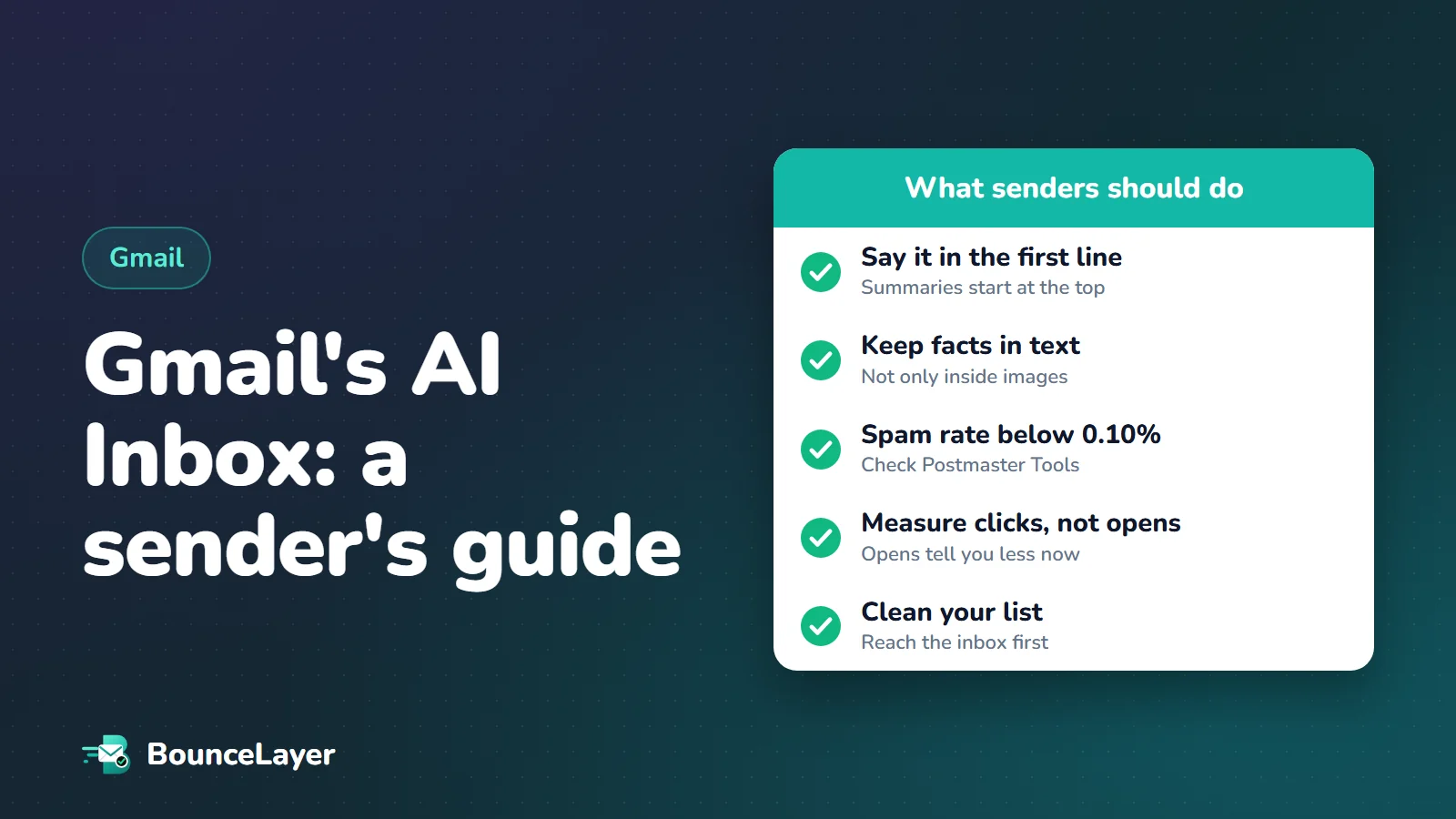
- Say the main point in the first sentence or two: what this is, and what you want the reader to do.
- Put dates, amounts, deadlines and order numbers in plain text, not only inside images.
- Use one clear call to action rather than several competing ones.
- Keep important content out of image-only emails. Text is what a summary is built from.
- Write subject lines that describe the email accurately. A summary that contradicts the subject line makes you look careless or misleading.
- Cut filler. Long introductions push the useful part down, for readers and for summaries alike.
For transactional email: make the facts easy to find
If you send receipts, bookings, shipping updates or account notices, your emails are the kind AI Inbox is designed to pick up. A reader may see "Your order arrives Thursday" in a list of topics without ever opening the message, and that's a good outcome as long as it's accurate.
State each key fact once, clearly, near the top: what happened, when, how much, and what the reader needs to do, if anything. Use consistent wording from one email to the next. Avoid burying a required action, such as confirming an address, at the bottom of a long message.
| Email type | Put near the top |
|---|---|
| Order confirmation | Order number, total, expected delivery date |
| Shipping update | Current status, delivery date, tracking link |
| Booking or reservation | Date, time, place, how to change it |
| Invoice or payment reminder | Amount, due date, how to pay |
| Account or security notice | What happened, and the one action needed |
Why open rates tell you less than they used to
Open rates were already unreliable before any of this. Apple's Mail Privacy Protection, launched in 2021, loads email content in the background, so many emails count as opened whether or not anyone read them. Gmail's own sender guidelines state plainly: "Google doesn't track open rates." Any open figure you see comes from your email tool's tracking image, which measures image loads, not attention.
AI summaries add another reason for caution. If a reader gets what they need from a summary, they may act without the behaviour your tool counts as an open, or without clicking through at all.
- Track clicks, replies, sign-ups and sales as your main measures.
- Use open rate only as a rough trend within the same audience, never as a target.
- Watch your spam complaint rate in Google Postmaster Tools. It's the number Gmail itself acts on.
- Compare results per campaign and per list source, so one weak list doesn't hide in the average.
The basics matter more, not less
None of these features change the first gate every email has to pass: being accepted and placed in the inbox at all. AI Inbox filters out spam, so an email that lands in spam is invisible to it too. Gmail's sender guidelines are unchanged, and they're the rules that count.
| Gmail requirement | What it asks |
|---|---|
| Authentication | SPF or DKIM for everyone; SPF, DKIM and DMARC if you send 5,000 or more messages a day |
| Spam rate | Keep it below 0.10% in Postmaster Tools, and avoid ever reaching 0.30% |
| Unsubscribe | One-click unsubscribe for marketing and subscribed messages, plus a visible link in the body |
| List quality | Send only to people who want your email, and keep bounces low |
List quality and engagement
Gmail has long used how people respond to your email, opening it, replying, deleting it unread or reporting it, as part of how it treats you. Sending to people who never engage, or to addresses that no longer exist, pulls your reputation down for everyone else on the list.
Before a big send, remove addresses that will bounce, and consider leaving out subscribers who haven't engaged in many months. A smaller list of real, interested people does better on every measure that matters, with or without AI in the inbox.
Send your next campaign to a Gmail account of your own, open the thread and ask Gemini to summarise it. If the summary misses your main point, rewrite the opening.
What to do this month
A short, practical list. None of it depends on guessing how Google's AI works.
- Check that SPF, DKIM and DMARC pass for every service that sends email for your domain.
- Look at your spam rate in Google Postmaster Tools and investigate any campaign above 0.10%.
- Rewrite your main templates so the first two sentences carry the message.
- Move key facts out of images and into text, especially in transactional emails.
- Clean your list before your next large send, and pause subscribers who never engage.
- Switch your reporting from open rate to clicks, replies and conversions.
- Re-check Google's help pages every few months. AI Inbox is in beta and Google says it may change.
Common questions
What is Gmail's AI Inbox?
It's a beta Gmail view that uses Gemini to show suggested to-dos and topics to catch up on, drawn from the reader's email. Google says it's only available in the US, in English, on eligible Google AI and Workspace plans.
Does AI Inbox read promotional emails?
Google's help page says AI Inbox only surfaces information from messages in the Primary tab, not other tabs such as Social or Promotions.
Does Gmail summarise every email automatically?
Google describes AI Overview summaries as something the reader requests for a long thread, by clicking to summarise it. Its help page doesn't say every email is summarised automatically.
Are there new Gmail sender rules for AI?
No. Google hasn't published sender requirements for its AI features, and its sender guidelines don't mention AI or Gemini. The existing rules on authentication, spam rate and unsubscribing still apply.
Will AI summaries lower my open rates?
Nobody outside Google can say for certain, and published figures disagree. Open rates were already unreliable, and Gmail says it doesn't track them. Measure clicks, replies and conversions instead.
How should I write emails for AI summaries?
Put the main point and the action you want in the first sentence or two, keep key facts in text rather than images, and use one clear call to action. That helps human readers too.
Can readers turn Gmail's AI features off?
Yes. Google says readers can turn off smart features to stop AI Overview summaries, though that also disables other tools such as AI-assisted writing and proofreading.
Does a clean email list still matter?
Yes. AI Inbox filters out spam, so email has to reach the inbox before any AI feature can show it. Low bounces and low complaints are still what earn that.