The Microsoft 365 Outage of November 2026: What It Meant for Your Emails, and What Not to Do
On 12 November 2026 Exchange Online went down for about a day, and mail to Outlook-hosted addresses queued up. Here's what Microsoft has said, what happened to the mail you sent, how to read the bounces in your reports, and why you shouldn't remove those contacts.
 Written byBounceLayer Team
Quick answer
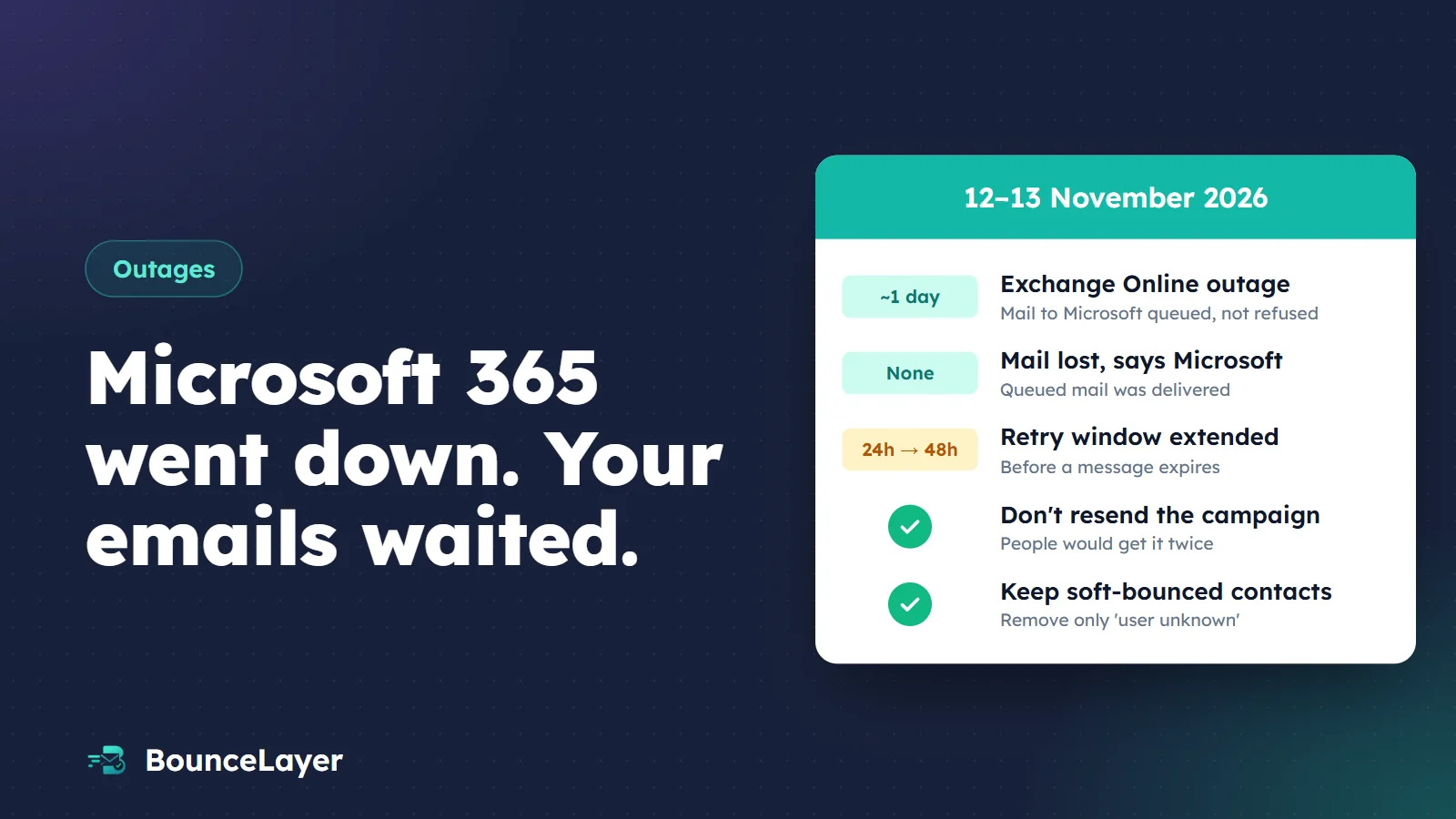
On 12 November 2026 Exchange Online, the mail service behind Outlook and Microsoft 365, had a major outage that lasted about a day and was resolved on 13 November. Mail sent to Microsoft-hosted mailboxes was delayed and queued, not refused, and Microsoft says no mail was lost. If your reports from 12 to 14 November show delays, deferrals or 'message expired' bounces for Microsoft addresses, the outage is the likely cause. Don't resend the campaign and don't remove those contacts: the addresses are still good. Look for real hard bounces, such as 'user unknown', only in sends after the outage.
What happened
On the afternoon of 12 November 2026 (UTC), Exchange Online, the mail service behind Outlook, Hotmail-style business mailboxes and Microsoft 365, stopped working for most people. Users couldn't open their mailboxes, and incoming mail was delayed. Teams, SharePoint, Copilot and other Microsoft 365 services were hit at the same time.
Microsoft tracked it as EX1550543 for Exchange Online and MO1550821 for Microsoft 365. Status trackers list the end of the incident on 13 November, with queued mail still being delivered for some hours after that.
Microsoft's incident notices, its preliminary post-incident report (15 to 16 November) and published summaries of its final report. Microsoft's full reports are in the Microsoft 365 admin center, so most details here come from people who quoted them. Start times differ between sources, so we give a range.
| Question | What has been reported |
|---|---|
| When did it start? | 12 November 2026, afternoon UTC. Sources give 16:17 to 18:26 UTC, depending on which Microsoft notice they count from. |
| When did it end? | 13 November 2026, with mail queues returning to normal over the following hours |
| Which services? | Exchange Online and Outlook most of all; also Teams, SharePoint, Microsoft 365 Copilot and others |
| Was mail lost? | Microsoft says no; queued mail was delivered |
| Was it a cyberattack? | No. Microsoft said it found no sign of malicious activity |
| Cause | A software defect on Microsoft 365 networking gateway servers, made worse by reduced capacity and peak load |
What happened to the mail you sent
When a receiving mail server can't accept mail, the sending server doesn't give up. It keeps the message and tries again for a day or more. That is what happened here: messages to Microsoft-hosted mailboxes waited in queues and were delivered once service came back.
According to a summary of Microsoft's final report, Microsoft extended how long it kept retrying delayed messages from 24 to 48 hours before giving up. The same summary says that messages to consumer mailboxes that hadn't been used for over 30 days could expire, and the sender then got a non-delivery report. If you saw a small number of these, that is the likely reason.
- Who was affected: any address hosted on Microsoft 365, which includes many company domains, not just outlook.com and hotmail.com.
- What you may see: deferred or delayed messages, slower delivery, and in some cases 'message expired' or 'delivery delayed' notices.
- What you shouldn't see because of the outage: 'user unknown' or 'mailbox does not exist'. Those mean the address itself is bad.
Not sure whether those Microsoft addresses are still good? Check them before your next send, and only remove the ones that really don't exist.
Check a list for freeHow to read the bounces in your reports
Most email platforms sort bounces into hard (permanent) and soft (temporary). During an outage like this, soft bounces and delays go up for one provider at once. Here's how to tell them apart.
Many email services automatically stop mailing an address after several soft bounces in a row. If you sent more than once during 12 to 14 November, check whether Microsoft addresses were suppressed on those dates, and restore the ones that weren't hard bounces.
| What your report says | What it means | What to do |
|---|---|---|
| Delayed, deferred, 4xx code | Temporary. The receiving server couldn't take the mail then | Nothing. It retries on its own |
| Message expired, delivery time exceeded | Retries ran out during the outage | Keep the contact. Include it in your next normal send |
| 550 5.1.1 user unknown / mailbox does not exist | The address is not real | Remove it, outage or not |
| Blocked, spam, policy (5.7.x) | A reputation or authentication problem, not the outage | Check SPF, DKIM, DMARC and your complaint rate |
What not to do
Outages lead to rushed decisions that do more harm than the outage itself.
- Don't resend the campaign. Queued messages were delivered, so a resend means people get the same email twice, which leads to spam complaints.
- Don't remove Microsoft addresses that only bounced softly or expired. They are real addresses that were unreachable for a day.
- Don't change your SPF, DKIM or DMARC records. The outage had nothing to do with your setup, and changes made in a hurry break authentication.
- Don't judge a campaign's open or click rates for Outlook readers on these dates. Many couldn't open their mailbox at all.
What to do now
A short check after the outage keeps your list accurate.
An outage doesn't make addresses go bad, but a big send after one is a good moment to check the list. People change jobs and providers close accounts all the time, and real hard bounces are what hurt your sender reputation.
- Export the bounces from 12 to 14 November and split them by type. Keep soft bounces and expired messages; remove only hard 'user unknown' bounces.
- If your platform suppressed Microsoft addresses on those dates for soft bounces, restore them.
- Look at the next normal send. A Microsoft address that hard bounces then is a real problem; one that delivers is fine.
- If you run your own Microsoft 365 tenant and are missing important inbound mail, use message trace in the Exchange admin center to see where it is, and quote MO1550821 if you contact support.
- For time-sensitive messages, such as password resets or order confirmations, consider a second way to reach customers, like SMS or an in-app notice, for future outages.
Why one outage doesn't hurt your reputation
Mailbox providers judge you on hard bounces, spam complaints and engagement over time. Temporary failures on their own side don't count against you. Gmail, Yahoo and Microsoft all expect bulk senders to keep bounce and complaint rates low, but a day of deferrals caused by Microsoft's own outage is not a sign of a bad list.
What can hurt is the reaction: a duplicate resend that annoys people, or a burst of addresses wrongly removed and later re-added without care. Wait, sort the bounces properly, and carry on sending as normal.
Common questions
Was Microsoft 365 down on 12 November 2026?
Yes. Exchange Online and Outlook had a major outage starting on the afternoon of 12 November 2026 (UTC), along with Teams, SharePoint, Copilot and other Microsoft 365 services. Microsoft tracked it as EX1550543 and MO1550821, and service was restored on 13 November.
Were emails lost in the Microsoft outage?
Microsoft says no mail was lost. Messages to Microsoft-hosted mailboxes were delayed and queued, then delivered as service recovered. A small number of messages to long-unused consumer mailboxes may have expired, in which case the sender got a non-delivery report.
What caused the November 2026 Microsoft 365 outage?
Microsoft says it was a software defect on its Microsoft 365 networking gateway servers, introduced in an earlier update. Reduced gateway capacity and peak daytime load made it worse. Microsoft said it was not a cyberattack.
Should I resend emails that were sent during the outage?
No. Queued messages were delivered once Exchange Online recovered, so resending means many people get the same email twice, which leads to complaints. Only resend single, important messages, such as an invoice, if you've confirmed they didn't arrive.
Should I remove Outlook addresses that bounced during the outage?
Not if they were soft bounces, delays or 'message expired' notices. Those addresses were temporarily unreachable, not invalid. Remove only addresses that hard bounce with errors like 550 5.1.1 'user unknown', and judge Microsoft addresses on your next normal send.
Does an outage like this hurt my sender reputation?
No. Temporary failures on the receiving side don't count against you. What hurts is reacting badly, for example resending a whole campaign and drawing spam complaints, or wrongly removing good addresses.